TL;DR
Automated audits are best for recurring technical checks, crawl alerts, metadata issues, page-speed monitoring, schema validation, and content gap discovery. Human review is still needed for business priorities, search intent, brand fit, and deciding which fixes deserve engineering or content time first.
SEO audit automation helps small teams catch search problems before traffic drops, but it should not be treated as a replacement for strategy. A website audit is commonly understood as an evaluation of factors that affect search visibility, including site structure, performance, traffic patterns, and on-page signals. In 2026, the strongest setup combines scheduled scans, AI-assisted analysis, and a ranked action queue that maps fixes to revenue pages. Earlyseo supports that operating rhythm for teams that need SEO work to move from reports into planned execution.
Table of Contents
What is SEO audit automation?
SEO audit automation: the use of scheduled crawlers, APIs, rules, and AI-assisted workflows to find technical, content, and visibility issues without manually checking every page.
SEO audit automation is a repeatable diagnostic process that scans a website for search visibility issues, groups findings by category, and alerts teams when something changes. It can check hundreds or thousands of URLs faster than manual review, but the best results come when automated findings are reviewed against business goals and search intent.
Research on explainable AI systems by Mohseni, Zarei, and Ragan highlights the need for systems that make automated outputs understandable to human decision-makers, not just technically correct. That point matters in SEO because a tool may flag 800 missing meta descriptions, while only 20 of those pages affect leads, sales, or rankings.
Key insight: automation finds patterns at scale, but prioritization turns those patterns into traffic, revenue, and fewer wasted tickets.
How automated audits usually run
Most automated audits follow a simple loop:
- Crawl the site on a schedule, often weekly or monthly.
- Pull supporting data from tools such as Google Search Console, analytics, log files, or page-speed APIs.
- Apply rules for crawlability, indexation, metadata, links, content, schema, and performance.
- Group findings by issue type, URL, template, or page segment.
- Push tasks into a backlog, dashboard, spreadsheet, or project management tool.
Some workflows are no-code, such as templates built in n8n or Google Sheets. Others run inside full SEO platforms that connect crawling, content planning, and operations. Teams that want a broader operating system can review Earlyseo SEO operations as a way to connect audit findings with production planning.
What can automated audits catch?
Automated audits are strongest when checking measurable, repeatable, page-level signals across a website. These systems are especially useful for founders, store owners, local businesses, and marketing managers who lack time for manual checks after every website update.
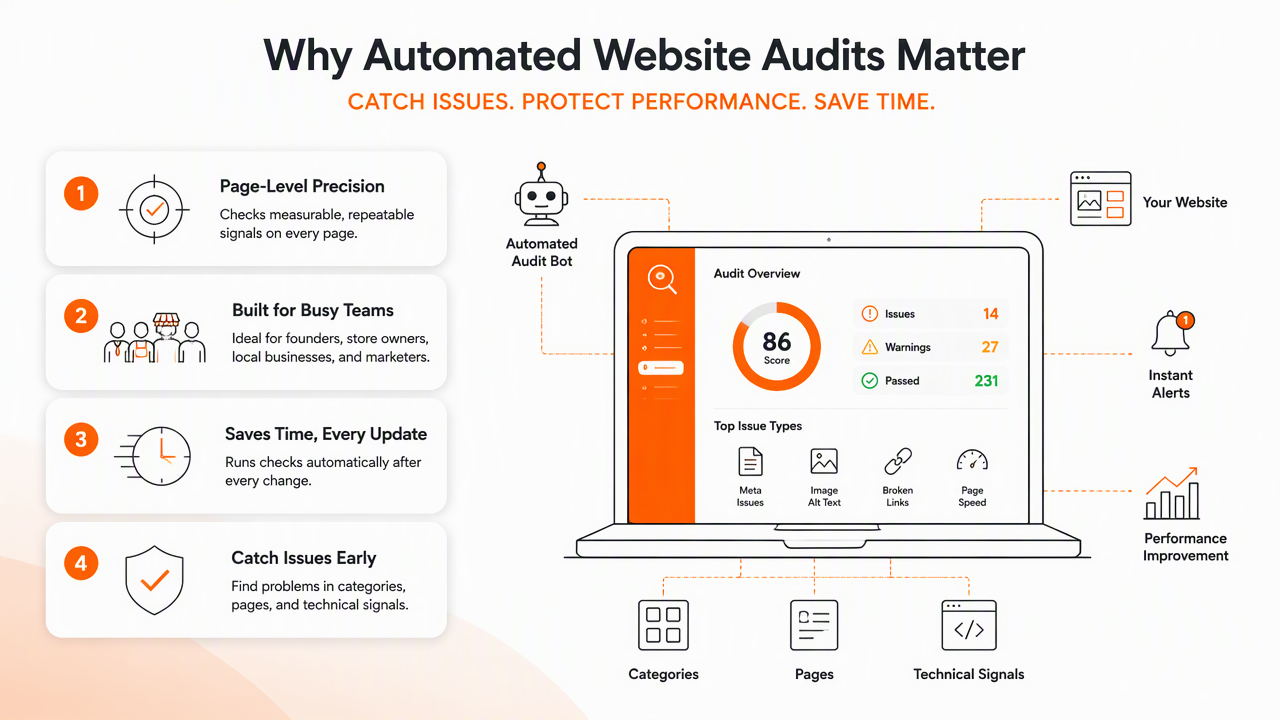
A good automated setup catches problems in categories that affect discovery, indexing, ranking, and conversion. It also helps compare current crawl results against earlier scans, which makes regressions easier to spot after CMS changes, app installs, migrations, or redesigns.
Automated audit categories and priority levels
| Audit category | What automation checks | Priority signal |
|---|---|---|
| Crawlability | Blocked pages, broken links, redirect chains, server errors, crawl depth | High when key pages cannot be reached |
| Indexation | noindex, canonical tags, sitemap mismatches, duplicate indexable URLs |
High when revenue pages are excluded |
| Metadata | Missing titles, duplicate titles, weak descriptions, heading gaps | Medium to high on ranking pages |
| Internal links | Orphan pages, weak anchor text, deep important pages | High for new content and category pages |
| Content gaps | Missing topics, thin pages, outdated pages, competitor overlap | High when pages target valuable keywords |
| Schema | Missing or invalid structured data, template-level errors | Medium unless rich results affect clicks |
| Page speed | Core Web Vitals issues, heavy scripts, image bloat | High on mobile and paid-entry pages |
| Conversion pages | Broken forms, missing CTAs, poor title-intent match | High when traffic already exists |
For a deeper technical baseline, the technical SEO audit checklist for beginners gives a practical companion to automated scans.
Where automation saves the most time
Automation has the biggest payoff on websites with repeated templates, such as Shopify collections, SaaS feature pages, blog archives, location pages, and Webflow CMS items. If one template has a canonical mistake, hundreds of URLs may inherit the same problem.
Helpful recurring checks include:
- New 404 errors after product, blog, or service pages are removed.
- Pages that changed from indexable to non-indexable.
- Titles that became duplicated after a CMS update.
- Important pages that lost internal links.
- Schema markup that stopped validating after a theme change.
- Slow templates caused by scripts, apps, images, or embeds.
E-commerce teams can pair audit automation with a Shopify SEO playbook, while local service teams can connect findings to local business SEO planning.
What still needs human review?
Automated audits cannot fully judge business value, search intent, brand trust, or the commercial impact of a fix. They can identify that a page is thin, slow, orphaned, or missing schema, but they cannot always decide whether that page deserves investment ahead of a product launch, service page, or high-margin category.
Language-model risk research by Weidinger, Uesato, Rauh, and coauthors catalogs several classes of risk posed by automated language systems, including reliability and misuse concerns. In SEO work, that means AI-generated recommendations should be treated as decision support, not final approval.
Key insight: a tool can say what changed; a marketer still has to decide whether the change matters.
Judgment areas that automation often misses
Human review remains important for:
- Search intent: whether a page answers the query better than competing results.
- Brand fit: whether suggested copy sounds credible for the company.
- Revenue impact: whether a fix affects pages tied to leads, sales, trials, or bookings.
- Competitive context: whether gaps reflect real opportunity or irrelevant keyword overlap.
- Content quality: whether expert examples, pricing clarity, visuals, and trust signals are strong enough.
- Implementation risk: whether a technical fix could break templates, tracking, or checkout flows.
Automated content gap reports deserve special care. A tool may identify many missing keywords, but that does not mean every keyword needs a page. The better move is to map gaps to customer pain points, sales objections, and existing site architecture. For teams building from scratch, content strategy for new blogs offers a more strategic layer beyond raw gap lists.
How Earlyseo handles this
Earlyseo is most useful when audit findings need to become organized SEO work, not just another export. The Earlyseo platform connects technical and content priorities with execution planning, which helps lean teams decide what to fix, write, refresh, and monitor next.
For example, a site may surface three issue clusters: slow collection pages, weak internal links to buying guides, and missing comparison content. A tool can flag all three. A good SEO workflow ranks them by commercial value, effort, and expected search upside, then assigns the next sprint. More product details are available at earlyseo.com.
How should audit findings be prioritized?
Audit findings should be ranked by impact, effort, confidence, and risk, not by the number of errors in a tool. A site with 2,000 duplicate descriptions may not need that fixed before one broken checkout-linked category page or a noindexed service page that should drive leads.
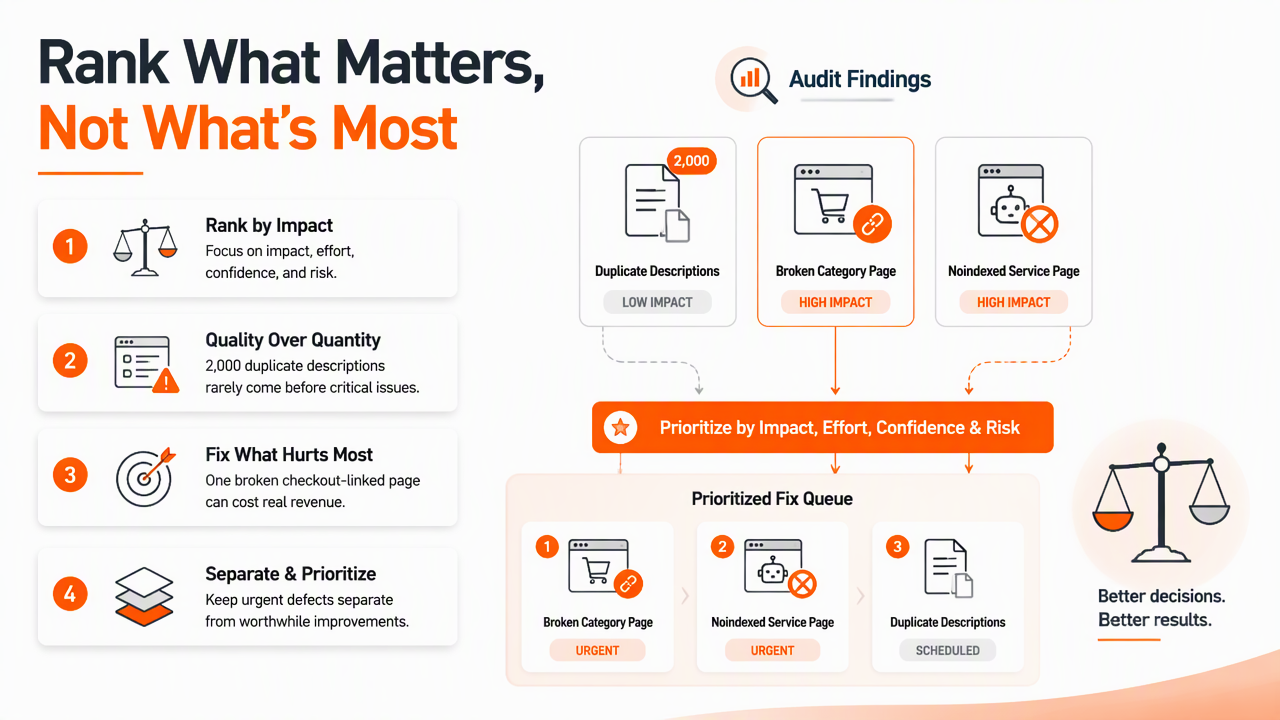
The best queue separates urgent defects from growth work. Urgent defects protect existing visibility. Growth work improves rankings, content coverage, and conversion over time.
A practical scoring model for the execution queue
| Score factor | High score means | Example |
|---|---|---|
| Impact | The fix affects traffic, leads, revenue, or key rankings | Restoring indexation on a top service page |
| Effort | The fix is quick or can be solved at template level | Updating one title template across 300 pages |
| Confidence | The cause and solution are clear | Broken internal links from a deleted navigation item |
| Risk | The change is unlikely to break pages or tracking | Adding missing FAQ schema to approved content |
A simple 1 to 5 score works well. Impact and confidence should usually carry more weight than volume. A large number of low-value warnings can wait if a smaller issue blocks search engines or customers from important pages.
A ranked audit checklist for 2026
A useful queue usually follows this order:
- Fix crawl blockers: remove accidental
robots.txtblocks, server errors, broken redirects, and inaccessible key pages. - Confirm indexation: review
noindex, canonical tags, sitemap mismatches, and duplicate indexable URLs. - Protect conversion pages: check service, product, category, demo, booking, and contact pages first.
- Repair internal links: point authority toward pages that need rankings or conversions.
- Improve metadata: rewrite titles and descriptions where rankings, clicks, or duplication justify the effort.
- Close content gaps: prioritize pages tied to products, services, use cases, locations, and buyer objections.
- Validate schema: apply structured data where it clarifies entities, products, reviews, FAQs, or local details.
- Improve speed: focus on templates and pages with mobile traffic, paid traffic, or conversion value.
Internal linking deserves a separate pass because it affects discovery and authority flow. The internal linking strategy guide explains how to connect supporting articles, service pages, and conversion assets without creating random links.
What changes next for automated SEO audits?
Automated SEO audits are moving from static issue reports toward AI-assisted SEO operations. The change is not just faster crawling. The bigger shift is that audit systems will increasingly explain why an issue matters, suggest likely fixes, group related tasks, and monitor whether changes improved performance.
A 2021 review by Abioye, Oyedele, and Akanbi on artificial intelligence adoption in the construction industry examined AI opportunities and challenges in a complex operational field. The SEO lesson is similar: automation works best when paired with governance, clear workflows, and human accountability.
What to expect in 2027
By 2027, stronger audit systems will likely include:
- Entity-aware checks: audits that assess brand, product, author, location, and topic signals across search and AI answers.
- Change attribution: clearer links between technical changes and ranking, crawl, or conversion shifts.
- Intent scoring: content audits that evaluate whether pages match informational, commercial, local, or transactional needs.
- Workflow integration: fewer PDF reports and more task queues tied to owners, deadlines, and templates.
- AI search visibility: checks for whether pages are structured clearly enough for AI Overviews, ChatGPT-style answers, and other answer engines.
Companies expanding across regions should also audit hreflang, localized metadata, translated content quality, and market-specific search intent. For that use case, international SEO planning fits naturally beside automated technical monitoring.
FAQ
How often should a site run an automated audit?
Most active websites should run a light automated audit weekly and a deeper audit monthly. Sites with frequent publishing, product changes, or developer releases may need daily alerts for crawl errors, indexation changes, and broken links. The right cadence depends on how often the site changes and how costly missed issues would be.
Can automated audits replace an SEO consultant or manager?
Automated audits cannot replace strategic SEO judgment. They can reduce manual checking, surface technical issues, and speed up reporting, but a person still needs to interpret search intent, set priorities, approve changes, and connect work to business goals. Automation is strongest as a monitoring and triage layer.
Which pages should be audited first?
The first pages to audit are the pages tied to revenue or lead generation: home pages, service pages, product pages, category pages, location pages, demo pages, contact pages, and high-traffic articles. Supporting blog posts matter too, but conversion paths deserve the first pass because errors there carry higher business risk.
What is the best first step for a small business?
The best first step is to crawl the site, export only high-impact issues, and rank them by impact, effort, confidence, and risk. A small business should fix crawlability, indexation, broken links, and conversion-page problems before chasing every warning. With Earlyseo, that queue can become a practical SEO sprint instead of a static report.
Conclusion
SEO audit automation works best as a habit, not a one-time cleanup. The practical next step is to schedule recurring crawls, group findings by crawlability, indexation, metadata, links, content, schema, speed, and conversion pages, then score each fix before assigning work. Teams that want a guided path can pair audit outputs with a 90-day plan, such as the 90-day SEO sprint, and use Earlyseo to keep the queue focused on visibility, content, and revenue impact.