TL;DR
JetOctopus and Oncrawl are specialist options for investigating crawler activity, while Google Search Console can cover routine monitoring for simpler sites. Choose a log analyzer only after checking real log samples, bot verification, filtering, and usable exports; connect the findings to a practical SEO action plan.
A crawler report shows what an SEO tool can discover; server logs show which requests actually reached the server. The best seo tools for log file analysis help turn that distinction into decisions about crawling, site structure, and technical priorities. For businesses building initial visibility, Earlyseo provides a complementary starting point for organizing website analysis and content work around those priorities.
Table of Contents
What is SEO log file analysis?
SEO log file analysis is the examination of server request records to understand how search engine crawlers interact with a website. It helps teams investigate requested URLs, response codes, and crawl patterns. Unlike a scheduled website crawl, it examines recorded activity rather than simulating a crawler's path through the site.
Server log: A record of events or requests handled by a server, with fields determined by its logging configuration.
SEO log analyzer: Software that organizes request records into crawler-focused views for technical SEO investigation.
Bot verification: Checking whether a request claiming to come from a search engine actually matches that search engine's verification requirements.
The questions logs can answer
Logs help connect technical observations to real crawler activity.
- Which product categories receive crawler requests?
- Are retired URLs still being requested?
- Do important pages appear in the available records?
- Which responses occur repeatedly during crawling?
A missing URL needs context. The available period, logging coverage, and collection layer all affect what appears in the dataset.
A server request confirms activity at the logging layer, not indexing, ranking, or a visit from an actual customer.
Log analysis becomes most useful when the next decision depends on crawl behavior. Routine visibility reporting can often start with Search Console and a simpler SEO progress tracking workflow.
Best SEO tools for log file analysis by use case
The strongest shortlist separates specialist log analyzers from tools that support monitoring and follow-through: JetOctopus and Oncrawl address log investigation, while Search Console and website-analysis platforms serve different parts of the workflow. Selection should depend on the question being investigated, available log access, and the team's reporting requirements.
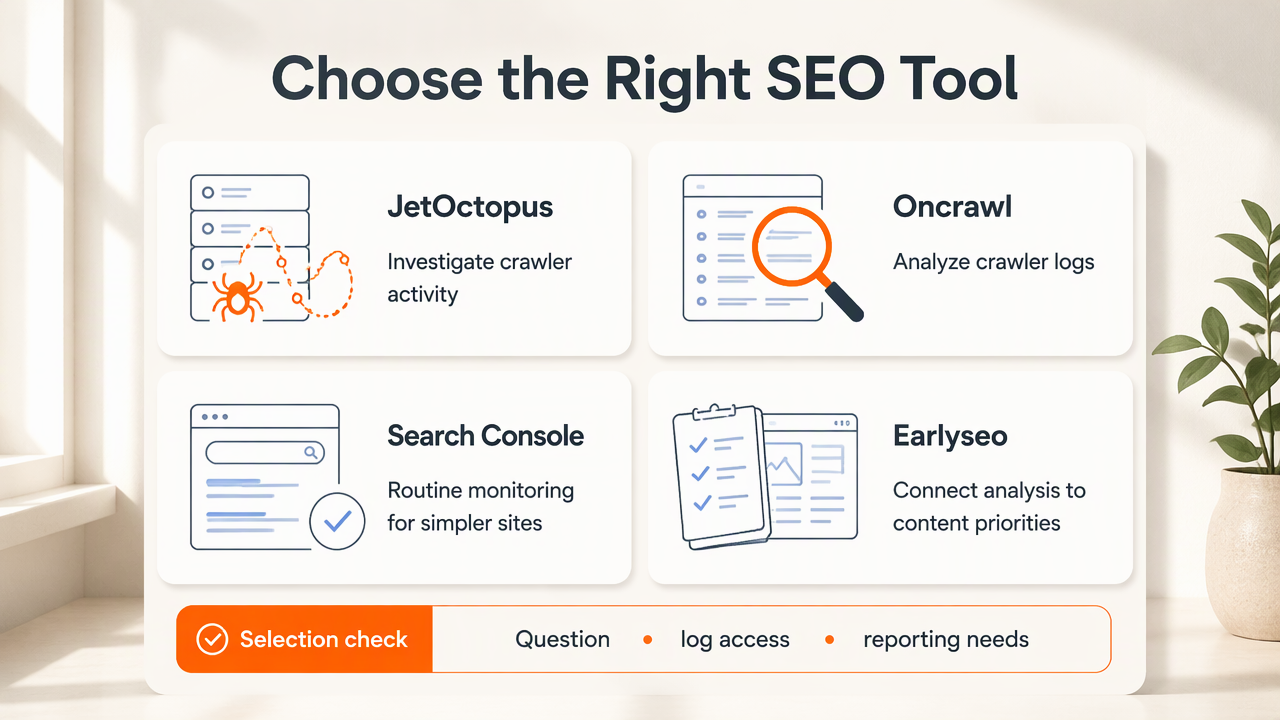
Selection table: match the tool to the job
Earlyseo belongs at the planning and execution stage, while the specialist options below serve crawler analysis.
| Option | Best-fit job | Selection check |
|---|---|---|
| Earlyseo | Connect website analysis with content priorities | Match analysis outputs to an actionable publishing plan |
| JetOctopus | Investigate SEO using connected datasets | Confirm log imports, dataset joins, and export requirements |
| Oncrawl | Evaluate a dedicated SEO log analyzer | Confirm ingestion scope, bot handling, and reporting needs |
| Google Search Console | Monitor search performance and Google's crawl reporting | Decide whether aggregate reporting answers the question |
The available research describes JetOctopus as connecting logs with other SEO datasets and Oncrawl as offering dedicated SEO log analysis. It does not establish current prices, accepted formats, export limits, or verification methods. Those details require confirmation before purchase; this comparison is a selection guide, not a hands-on benchmark.
Who should pick which option?
JetOctopus is worth evaluating when the main goal is connecting crawler activity with other site-level evidence. Oncrawl is worth evaluating when dedicated log investigation is central to the technical SEO process.
Search Console alone can be sufficient when a small site needs routine performance monitoring and broad crawl visibility, rather than individual request records. A business checking whether organic visibility is improving doesn't automatically need a separate log-analysis subscription.
Large catalogs, multiple language directories, and frequently changing URLs create more specific investigation needs. For example, an international SEO workflow may need to compare crawler activity across language sections before setting technical priorities.
The best purchase is the smallest toolset that answers the actual question. Extra dashboards add little value when no team member owns the resulting fixes.
How should teams test a log analyzer?
Teams should test a log analyzer with a representative sample before committing to a subscription.
- Identify the server or delivery layer producing the records.
- Import a sample covering normal site activity.
- Check field mapping and timestamp handling.
- Validate bot identification.
- Test meaningful URL filters.
- Export results and reconcile totals.
A successful import is only the first checkpoint. The evaluation should establish whether the tool preserves the information needed for the business decision.
Supported formats and collection coverage
Format testing should check the actual files available from the hosting setup, not just a vendor's compatibility label.
Ask the provider to confirm handling for the available format, whether that involves Apache or Nginx access records, compressed files, or structured CDN exports. These are evaluation examples, not verified support claims for the shortlisted products.
Required fields depend on the investigation. URL, timestamp, response status, user agent, and a suitable client address are common starting points. Confirm how query strings, time zones, and missing values are handled.
CDN and origin records can represent different stages of a request. Document the collection layer and avoid combining files without checking for duplicate events.
Bot verification, filtering, and exports
A credible evaluation checks bot identity separately from a user-agent label.
A user-agent string can claim to be Googlebot without proving that identity. Ask whether verification is automatic, configurable, or performed outside the tool, and how verified requests are distinguished from unverified claims.
Test filters that match real questions:
- Product pages versus category pages.
- Parameterized URLs versus clean URLs.
- Successful responses versus redirects and errors.
- Mobile versus desktop crawler labels, where available.
For e-commerce teams, category-level findings can feed a Shopify SEO action plan rather than remain a disconnected technical report.
Exports should preserve enough detail for another analyst to reproduce the result. Check URL-level output, date boundaries, active filters, row limits, and whether aggregate totals reconcile with the imported sample.
A useful pilot ends with a documented dataset, a reproducible view, and a clearly assigned next action. That makes the evaluation valuable beyond the buying decision.
How Earlyseo handles the follow-through
Earlyseo fits the follow-through stage by connecting website analysis and content planning to a practical SEO workflow. Log findings can help establish priorities, while the broader process determines which pages deserve improvement, supporting content, or closer monitoring.
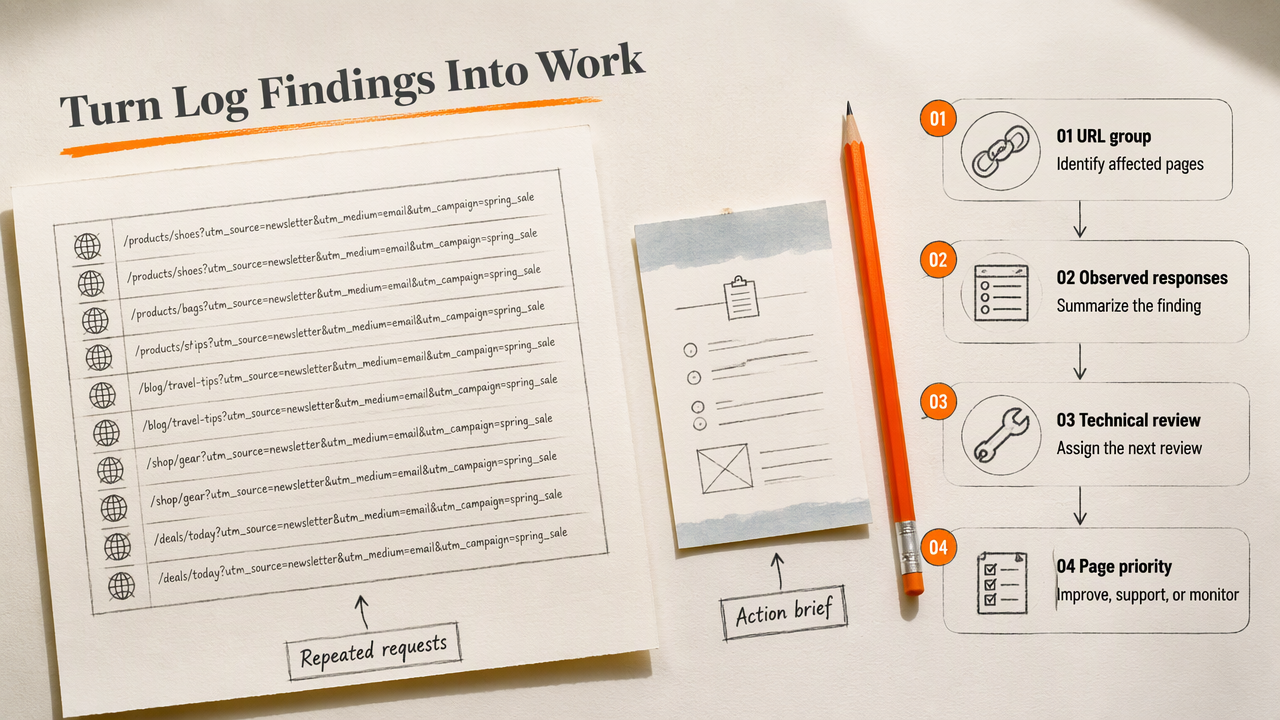
Turn crawler evidence into an action brief
An action brief translates a technical finding into work that a founder, marketer, or developer can understand.
Consider a hypothetical store investigating repeated requests to old campaign URLs. The brief would identify the affected URL group, summarize the observed responses, assign a technical review, and define the post-change check.
For an important category receiving crawler attention, the next task might instead involve improving its content and supporting pages. The platform's website-analysis feature is a relevant next step for organizing that wider review.
A useful brief includes:
- Evidence: The log period, collection layer, and filters.
- Action: A specific technical or content task.
- Owner: The person responsible for delivery.
- Validation: The report and date used to check the outcome.
FAQ: choosing and using SEO log tools
Log-analysis purchases usually come down to access, scope, and the ability to act on findings.
Start with a specific crawl question, then select the reporting depth needed to answer it.
Is Google Search Console enough for a small website?
Google Search Console can be enough for routine search monitoring and broad crawl checks on a small website. A separate analyzer becomes more useful when the investigation requires individual requests, detailed URL grouping, or comparison with server-side evidence. Site complexity and the question being asked matter more than business size alone.
Can log analysis prove that a page is indexed?
Log analysis cannot prove indexing simply because a crawler requested a page. A request shows access at the recorded layer, while indexing is a separate outcome. Teams should compare crawler evidence with indexing information and page-level checks before deciding whether discovery, access, content, or another factor needs attention.
What should a business request from its hosting provider?
A business should request available access logs, the retention period, format details, and an explanation of where the records are collected. The provider should also clarify which fields are included and how files can be transferred securely. That information lets the team test compatibility before choosing a paid analyzer.
How often should teams review crawler logs?
Review frequency should match the pace of site changes and the decision being monitored. A migration, catalog update, or technical release can justify closer checks around the change. For a stable site, a recurring review tied to clear SEO priorities can provide a manageable rhythm for technical and marketing teams.
Conclusion
Choose a specialist analyzer only after a sample import answers a real crawl question. Then assign the resulting work through a 90-day SEO sprint. For website analysis and content follow-through, explore the planning workflow at earlyseo.com and turn one verified finding into the next scheduled improvement.