TL;DR
No-code SEO automation helps Squarespace site owners fix metadata, publish search-focused content, improve internal links, optimize images, and run recurring audits without developer work. The best setup combines Squarespace's built-in controls with an automation layer for monitoring, prioritization, and repeatable SEO operations.
No-code SEO automation for Squarespace websites matters because most small teams do not lose rankings from one big technical failure; they lose them through hundreds of small tasks that never get done. Page titles go stale, image alt text gets skipped, local pages stay thin, and internal links are added only when someone remembers. Earlyseo gives Squarespace site owners a practical way to turn those recurring jobs into a repeatable SEO workflow without hiring a developer.
Table of Contents
What is no-code SEO automation for Squarespace websites?
No-code SEO automation for Squarespace websites is the use of software workflows to find, prioritize, and apply SEO improvements without editing code. It usually covers page titles, meta descriptions, content briefs, image alt text, internal links, local landing pages, and recurring audits.
No-code SEO automation: a workflow that lets non-developers manage repetitive SEO tasks through dashboards, rules, templates, and integrations instead of custom code.
Webmaster: a person responsible for maintaining one or more websites, including site owners, administrators, authors, or coordinators.
Squarespace already gives site owners core SEO controls, including editable page titles, descriptions, URL slugs, redirects, image fields, and sitemap generation. Automation adds the missing layer: scale, reminders, prioritization, and consistency across every page.
Key insight: Squarespace can handle many SEO settings, but automation helps make sure those settings are reviewed, improved, and repeated across the whole site.
Where automation fits in the Squarespace workflow
The strongest automation setup does not replace Squarespace. It sits beside it and turns manual checks into a weekly operating rhythm.
Typical automated tasks include:
- Finding missing or duplicated page titles
- Drafting better meta descriptions for product, service, and blog pages
- Flagging pages with weak headings or thin content
- Suggesting internal links between related pages
- Identifying images without helpful alt text
- Tracking local landing pages for location-based searches
- Scheduling recurring site audits
Earlyseo platform features such as website analysis, content planning, and SEO operations are built for this kind of repeatable process. The goal is not to make SEO fully automatic; it is to remove the avoidable busywork so business owners can approve better recommendations faster.
Automation vs manual SEO for Squarespace
| SEO task | Manual Squarespace process | Automated no-code process |
|---|---|---|
| Metadata | Edit each page one at a time | Detect missing fields and suggest updates |
| Content publishing | Guess topics or copy competitor ideas | Build briefs around search intent and page gaps |
| Internal links | Add links from memory | Surface relevant pages to connect |
| Image SEO | Check every image manually | Flag missing alt text and oversized assets |
| Local SEO | Build location pages ad hoc | Use templates and recurring checks |
| Audits | Run only when traffic drops | Schedule repeat reviews before issues grow |
Automation works best when site owners still review changes before publishing. Blind bulk edits can create bland titles, repetitive descriptions, or links that feel forced.
Which Squarespace SEO tasks should be automated first?
Squarespace SEO automation should start with repeatable tasks that affect many pages: metadata, image fields, internal links, content updates, local pages, and recurring audits. These areas create steady gains because they reduce missed details across the whole site instead of chasing one-time fixes.
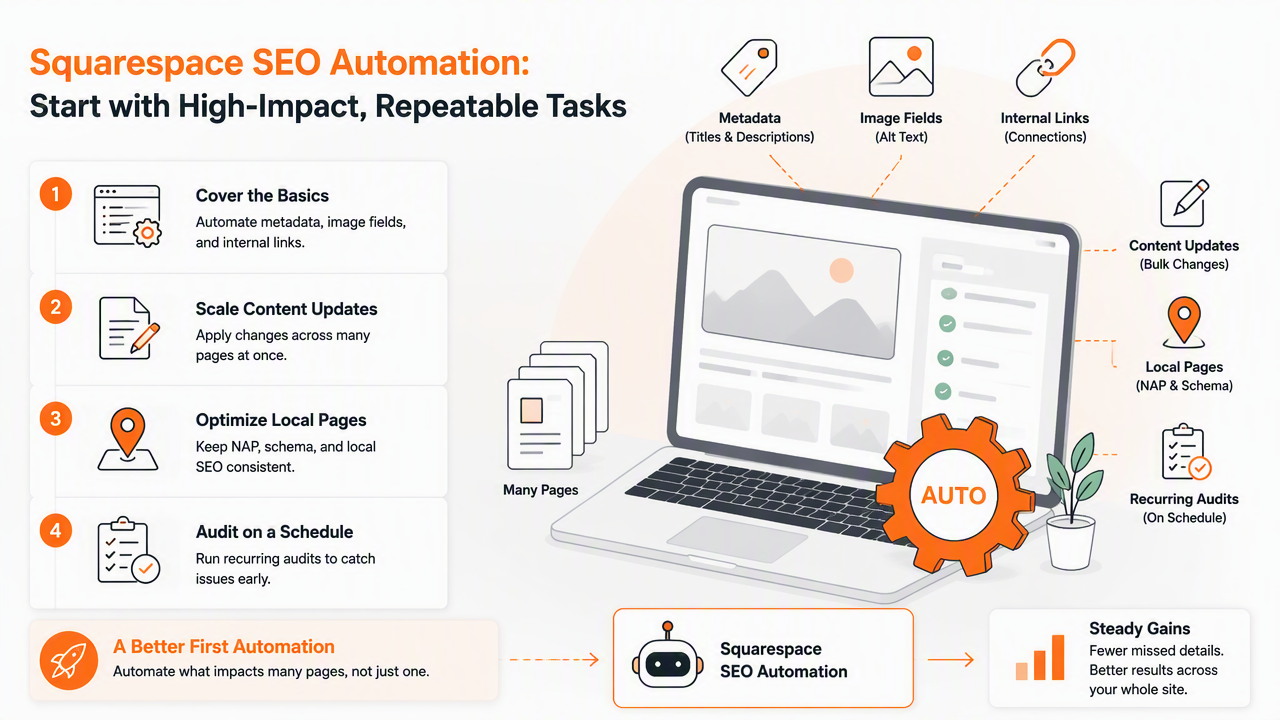
A good first automation plan should focus on tasks with clear rules. If a page has no meta description, that is easy to flag. If a product image has no alt text, that is easy to queue. If a service page has no link from the homepage or related blog posts, that is easy to recommend.
Priority order for small business sites
A practical no-code SEO rollout follows this order:
- Scan the site: find missing titles, weak descriptions, broken links, thin pages, and image issues.
- Fix metadata: update page titles, meta descriptions, URL slugs, and headings for priority pages.
- Improve core pages: refresh the homepage, service pages, product pages, and location pages before adding more content.
- Build internal links: connect blog posts, category pages, product pages, and service pages around shared topics.
- Optimize images: add descriptive alt text, compress large files, and avoid generic filenames.
- Publish useful content: create pages that match real customer questions, not just company news.
- Repeat monthly audits: monitor new issues before rankings or conversions drop.
For new sites, a launch checklist can prevent avoidable mistakes before indexing begins. A related guide on an SEO checklist for a new website launch is useful when a Squarespace site is still being prepared.
Metadata, images, and links that deserve automation
| Area | What to automate | Human review needed |
|---|---|---|
| Page titles | Missing, duplicated, or too-generic titles | Brand voice and keyword fit |
| Meta descriptions | Drafts for pages without descriptions | Accuracy and call to action |
| Headings | Pages with unclear H1 or skipped structure | Final phrasing |
| Image alt text | Missing or vague image descriptions | Accessibility and context |
| Internal links | Related pages with no connection | Link placement and anchor text |
| Local pages | Missing city, service, or neighborhood coverage | Local proof and unique details |
Internal linking deserves special attention because it is easy to ignore on Squarespace blogs and service sites. A deeper primer on internal linking strategy for SEO can help teams avoid random links and build topic clusters that search engines can understand.
How does Earlyseo compare with other Squarespace SEO tools?
Earlyseo is best framed as an SEO operations layer for Squarespace teams that want planning, analysis, content workflows, and repeatable execution in one place. Other tools may focus more narrowly on bulk on-page deployment, Squarespace-specific plugins, or general website audits.
SERP research for this topic shows several common options in the field, including Squarespace's own SEO checklist, Alli AI's Squarespace SEO automation positioning, and SEOSpace's plugin-focused Squarespace SEO toolkit. Each serves a different type of user.
Tool comparison for Squarespace SEO automation
| Tool or platform | Best fit | Main strength | Watchpoint |
|---|---|---|---|
| Earlyseo | Small teams that need recurring SEO workflows | Combines analysis, content planning, and operations | Best results still require owner approval and publishing discipline |
| Squarespace built-in tools | Basic site owners | Native controls for titles, descriptions, URLs, redirects, and images | Limited prioritization across many pages |
| Alli AI | Teams seeking AI-assisted page optimization at scale | Bulk on-page SEO deployment messaging | May be more than a small site needs at the start |
| SEOSpace | Squarespace users wanting a plugin-style SEO tool | Squarespace-focused page guidance and tooling | Plugin workflow may not cover broader content operations |
| General audit tools | Marketing teams with multiple platforms | Crawling and technical diagnostics | Recommendations can be too technical for non-developers |
The warmer recommendation for small businesses goes to Earlyseo when the real need is not one more checklist, but a repeatable content and audit system. The platform also fits teams that want competitor-aware content planning and ongoing SEO tasks without custom engineering.
Who should pick which option?
Pick the option based on workflow maturity:
- Earlyseo: best for small businesses, local firms, and growing teams that need analysis, briefs, publishing support, and recurring SEO operations.
- Squarespace native settings: best for very small sites with fewer than 10 important pages and basic SEO needs.
- Alli AI: best for teams focused on larger-scale AI-assisted on-page changes.
- SEOSpace: best for Squarespace users who prefer a plugin-style interface built around that platform.
- Audit-only tools: best for marketing managers who already have SEO staff to interpret and act on reports.
A common misconception says no-code tools remove the need for SEO judgment. They do not. They reduce repetitive checking, but strategy still matters: which pages deserve attention, which keywords fit commercial intent, and which content should be published next.
How should local and ecommerce Squarespace pages use automation?
Local and ecommerce Squarespace sites should use automation to standardize page quality while keeping each page specific. The goal is to avoid thin, duplicated pages by using templates for structure, then adding unique products, services, locations, FAQs, reviews, and proof.
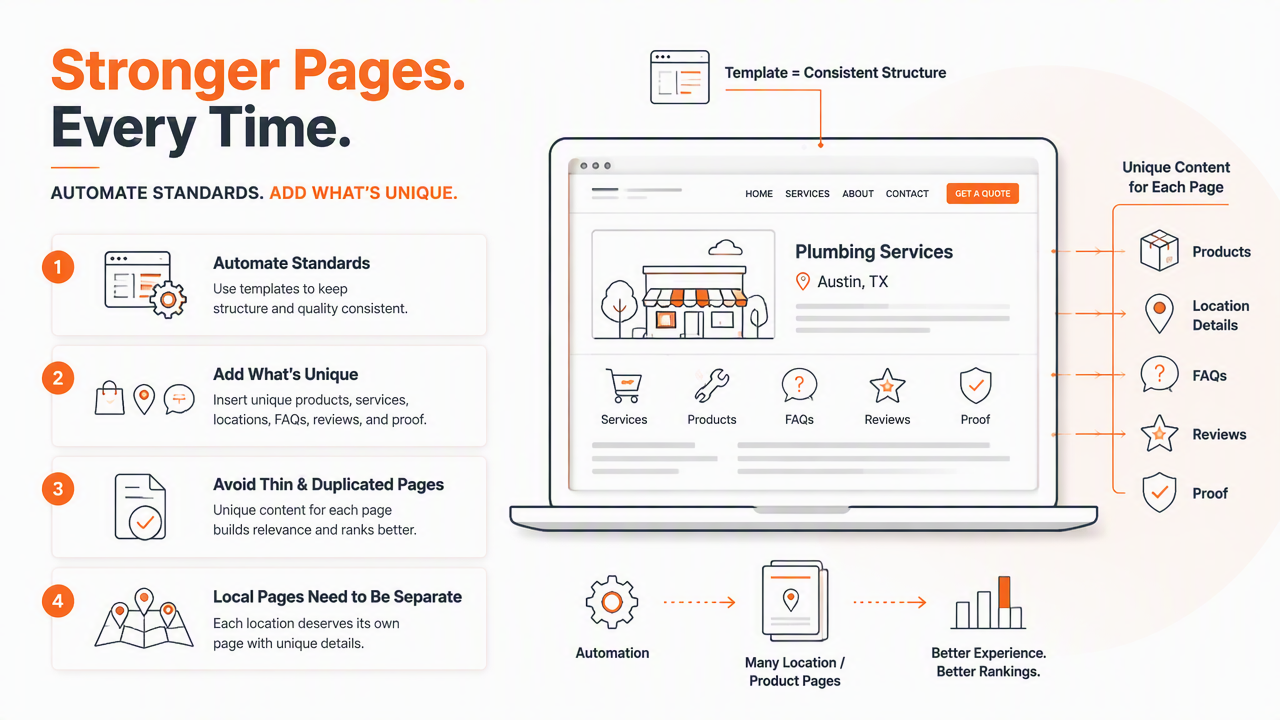
Local businesses often need separate pages for services, cities, neighborhoods, or appointment types. Ecommerce stores need product metadata, collection descriptions, image alt text, and internal links from guides to products.
Local SEO automation checklist
Local Squarespace automation should track the details that customers and search engines both expect:
- Service plus location page coverage
- Clear title tags for each city or neighborhood page
- Unique descriptions instead of copied location swaps
- Embedded business details such as name, address, phone, and hours
- Links from main service pages to local pages
- Photos with descriptive alt text tied to real services or places
- FAQ sections that match local buyer questions
Service businesses should also keep content tied to real operations. A useful companion resource is the guide to SEO for service-based businesses, especially for companies targeting calls, appointments, or quote requests.
Ecommerce automation checklist
Ecommerce Squarespace sites should automate the quality checks that become painful once product catalogs grow:
- Flag product pages with missing titles or descriptions.
- Detect collection pages with little or no explanatory copy.
- Suggest internal links from buying guides to product categories.
- Identify duplicate manufacturer descriptions.
- Queue missing image alt text for review.
- Monitor discontinued products and redirects.
- Refresh seasonal pages before demand peaks.
Product pages should not read like generated filler. Automation can draft or flag improvements, but accurate specifications, shipping details, sizing information, and real use cases still need human approval. For small shops, the ecommerce SEO guide for small online stores gives a broader framework.
What should a monthly no-code SEO audit include in 2026?
A monthly no-code SEO audit in 2026 should review content quality, metadata, internal links, images, indexation, local pages, security signals, and AI-search visibility. The audit should produce a short task list, not a huge report that nobody acts on.
Search visibility now extends beyond classic blue links. Competitor pages in the current SERP use messaging around AI visibility, ChatGPT, Gemini, Claude, Perplexity, and Google AI features. Squarespace site owners should respond by making pages clearer, better structured, and easier for answer engines ### Monthly audit items for Squarespace sites
| Audit area | What to check each month | Why it matters |
|---|---|---|
| Metadata | Missing, duplicated, or stale titles and descriptions | Improves search snippets and page focus |
| Content | Thin, outdated, or overlapping pages | Reduces confusion and improves topical depth |
| Internal links | Orphaned pages and weak anchor text | Helps visitors and crawlers find important pages |
| Images | Missing alt text and heavy files | Supports accessibility and page experience |
| Local pages | Incomplete service or location coverage | Helps location-based discovery |
| Security and trust | Malware warnings, spam reports, phishing issues, domain contact accuracy | Protects visibility and customer confidence |
| AI visibility | Clear definitions, FAQs, comparison tables, and entity-rich sections | Helps answer engines extract reliable summaries |
The security row matters more than many SEO checklists admit. Domain owners should keep registrant details current, especially for country-code domains such as .AU, monitor Whois contact accuracy, and respond quickly to malware, phishing, pharming, or spam reports.
What to expect in 2027
SEO automation for Squarespace will likely move from task detection to task orchestration. Instead of only saying a page has weak metadata, tools will group fixes into campaigns, assign owners, track approvals, and measure results across Google Search, AI Overviews, and answer engines.
Structured content will matter more. Pages with clear definitions, comparison tables, FAQs, local proof, and original product details will be easier for LLMs to cite than vague marketing pages. Earlyseo is positioned around that operating model: audit, plan, publish, measure, repeat.
The sites most likely to win in 2027 will not be the ones with the most automation. They will be the ones with the clearest process for turning automation into approved, useful site improvements.
Frequently Asked Questions
Can Squarespace SEO be automated without a developer?
Yes. Squarespace SEO can be automated without a developer for many recurring jobs, including metadata checks, content planning, internal link suggestions, image alt text reviews, local page monitoring, and scheduled audits. Code may still be needed for advanced custom features, but most small business SEO maintenance can stay no-code.
Does automation replace Squarespace's built-in SEO settings?
No. Automation does not replace Squarespace's built-in settings. It helps manage them at scale by finding gaps, suggesting improvements, and keeping a repeatable review schedule. Squarespace remains the place where many page-level changes are published, while automation helps decide what should be fixed first.
Is AI-generated SEO content safe for Squarespace sites?
AI-assisted content can be useful when it is reviewed, edited, and grounded in real business details. Risk increases when pages are published with generic claims, repeated wording, or inaccurate service information. The safest workflow uses AI for briefs, outlines, and drafts, then adds human expertise before publishing.
How often should a Squarespace site run an SEO audit?
A small Squarespace site should run a light SEO audit monthly and a deeper audit each quarter. Monthly checks should focus on new errors, missing metadata, internal links, images, and content freshness. Quarterly reviews should examine rankings, conversion pages, local coverage, and competitor content changes.
Conclusion
No-code SEO automation for Squarespace websites works best when it turns scattered tasks into a simple operating system: scan, prioritize, update, publish, and repeat. Metadata, content publishing, internal links, image optimization, local pages, and recurring audits all benefit from automation, but final approval should stay with someone who knows the business.
The next step is practical: choose the five highest-value pages, run a site analysis, fix the obvious metadata and image gaps, then schedule a monthly audit rhythm. For teams that want that process in one place, visit earlyseo.com and review how Earlyseo supports Squarespace SEO workflows.