TL;DR
A website does not need a fixed number of pages for SEO. Most small businesses should start with 5 to 15 strong pages, then add focused service, location, product, and blog pages only when each page targets a real search need.
Page count is one of the easiest SEO questions to overthink. The better question is not only how many pages does a website need for seo, but how many useful, indexable, search-focused pages the business can support. Search engine optimization: SEO is the practice of improving the visibility and performance of websites and web pages in search engine results pages, a definition aligned with the general description of search engine optimization on Wikipedia. For founders and small teams, Earlyseo helps turn that question into a practical publishing plan instead of a random page target.
Table of Contents
What is the ideal number of pages for SEO?
The ideal number of pages for SEO is the number required to cover a business, its offers, its locations, and its audience questions without thin or duplicate content. A simple website may rank with 5 core pages, while ecommerce, local, and multi-service sites usually need many more targeted pages.
Key insight: Google does not reward a website for having more pages by itself. Search visibility comes from pages that match search intent, earn engagement, and fit a clear site structure.
Competitor results show the same pattern. One ranking article argues that five pages can carry the main ranking load: homepage, services, about, blog, and contact. A SitePoint forum discussion also frames the answer as "as many as needed," not a universal number.
That answer is correct, but incomplete for 2026. Search now blends classic blue links, AI Overviews, local packs, product grids, and entity-based results. A website needs enough pages to make its business understandable to both search engines and answer engines.
Quick page-count guide by website type
| Website type | Practical starting range | Pages that usually matter most |
|---|---|---|
| Solo consultant | 5 to 8 pages | Home, service, about, case study, contact, 1 to 3 guides |
| Local business | 8 to 20 pages | Home, services, service-area pages, reviews, contact, FAQs |
| Startup SaaS | 10 to 30 pages | Home, features, use cases, pricing, docs, comparisons, blog |
| Ecommerce store | 20+ pages | Collections, product pages, buying guides, policies, reviews |
| Multi-location brand | 30+ pages | Location pages, service pages, local proof, support content |
A useful rule is simple: one page should exist for one clear search intent. If two pages answer the same question for the same audience, they should usually be merged. If one page tries to answer too many different commercial searches, it may need to be split.
Which core pages should every SEO website have?
Every SEO website should have a small set of core pages that explain the business, prove trust, guide visitors toward action, and give search engines a stable structure to crawl. These pages form the base before blog posts, location pages, and long-tail content are added.

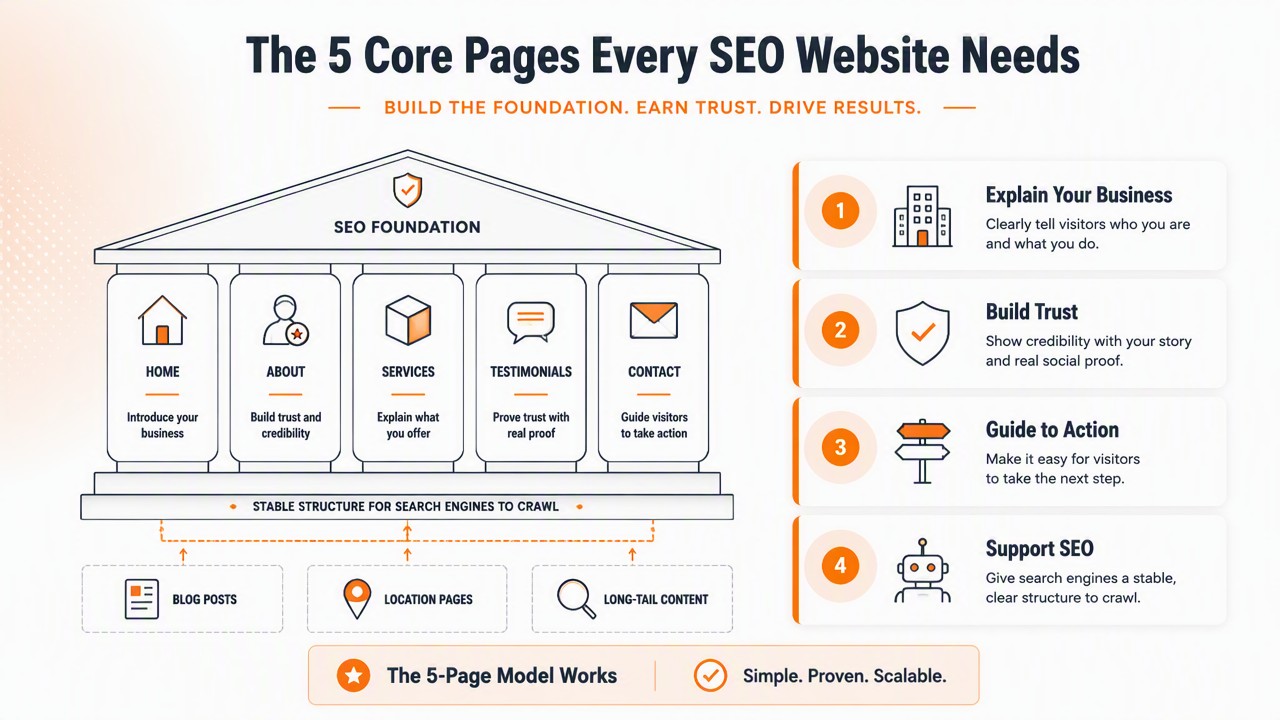
The five-page model is popular because it works for lean websites. Still, most growing companies need a few more pages once services, audiences, and locations become specific.
A strong starter structure usually includes:
- Homepage: summarizes the brand, category, audience, and primary offer.
- Main service or product page: targets the highest-value commercial search.
- About page: supports trust, expertise, and brand legitimacy.
- Contact or booking page: gives visitors a clear conversion path.
- Blog or resources hub: organizes educational content and long-tail searches.
- FAQ page or FAQ sections: answers objections in language searchers actually use.
- Privacy, terms, and policy pages: support trust and compliance expectations.
For growing content programs, a dedicated resource area matters. The Earlyseo blog hub is a good example of keeping articles grouped where users and crawlers can find them.
Core pages versus SEO growth pages
| Page category | Main SEO job | Good example |
|---|---|---|
| Core page | Explain the business and conversion path | Homepage, about, contact |
| Commercial page | Rank for buying intent | Service page, product page, pricing page |
| Support page | Reduce friction and answer pre-sale questions | FAQ, docs, policies |
| Authority page | Build topical depth | Blog post, guide, comparison |
| Local page | Match geography-based searches | City service page, location page |
The structure should stay easy to crawl. A page buried five clicks deep from the homepage has less practical value than a page linked from a clear menu, footer, hub, or related guide.
How should a small business decide how many pages to publish first?
A small business should decide its first SEO pages by mapping services, locations, customer questions, and buying intent before writing anything. The first launch should cover the pages needed for trust and conversion, then expand with pages that target distinct searches.
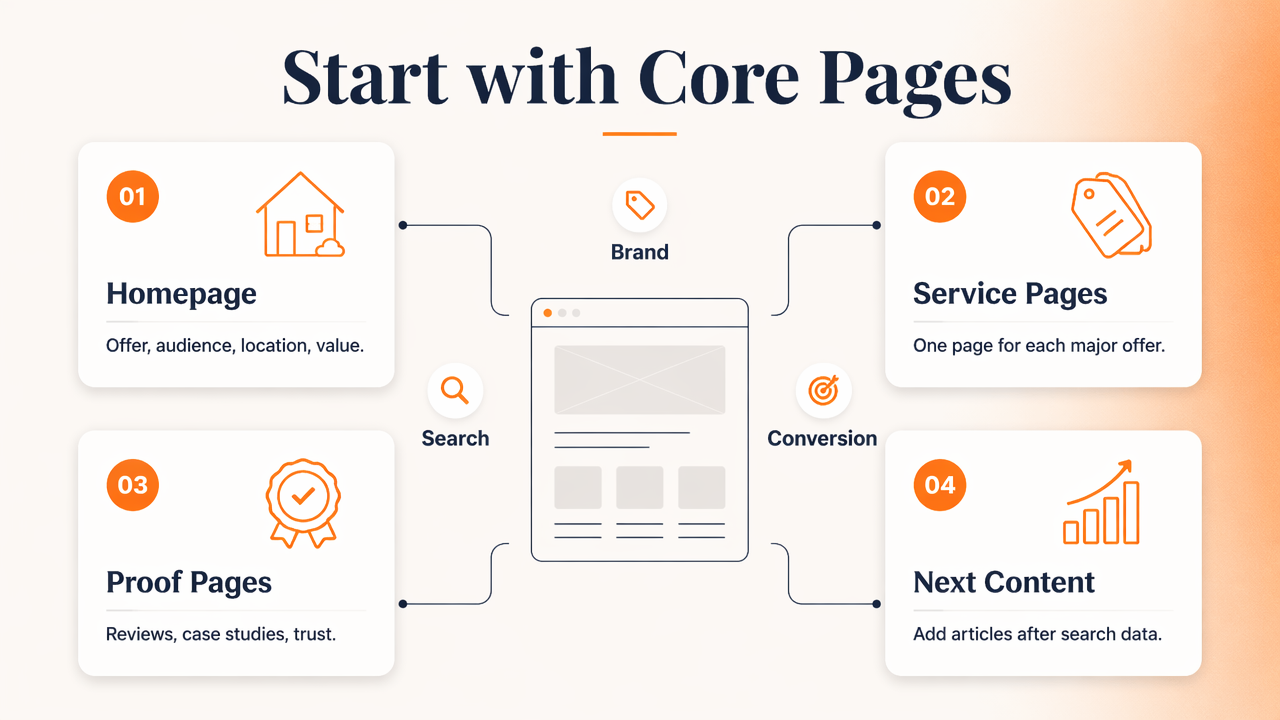
A practical first-pass plan can follow this order:
- List every product, service, category, and location that drives revenue.
- Group similar terms that share the same search intent.
- Assign one main page to each high-value intent group.
- Add trust pages that support the buyer decision.
- Create a publishing backlog for questions that deserve blog posts.
- Review performance before expanding into lower-priority topics.
This approach prevents the common mistake of launching 40 low-value pages when 12 sharper pages would work better. It also avoids the opposite problem: a single services page trying to rank for every offer.
Documentation can help keep the plan consistent across writers, developers, and founders. Teams that need a workflow reference can use the Earlyseo documentation to connect content planning with implementation steps.
Example starter plan for a local service business
| Page | Search intent covered | Publish at launch? |
|---|---|---|
| Home | Brand and category overview | Yes |
| Main service page | Primary commercial keyword | Yes |
| Secondary service pages | Distinct service searches | Yes, if demand exists |
| City or service-area page | Local intent | Yes, for real service areas |
| Reviews or proof page | Trust and comparison | Often |
| Blog guide | Educational long-tail search | After core pages |
| FAQ content | Objections and quick answers | Yes, on relevant pages |
A launch plan should feel complete, not bloated. Ten well-connected pages can outperform fifty pages with repeated paragraphs and unclear purpose.
Can too many pages hurt SEO?
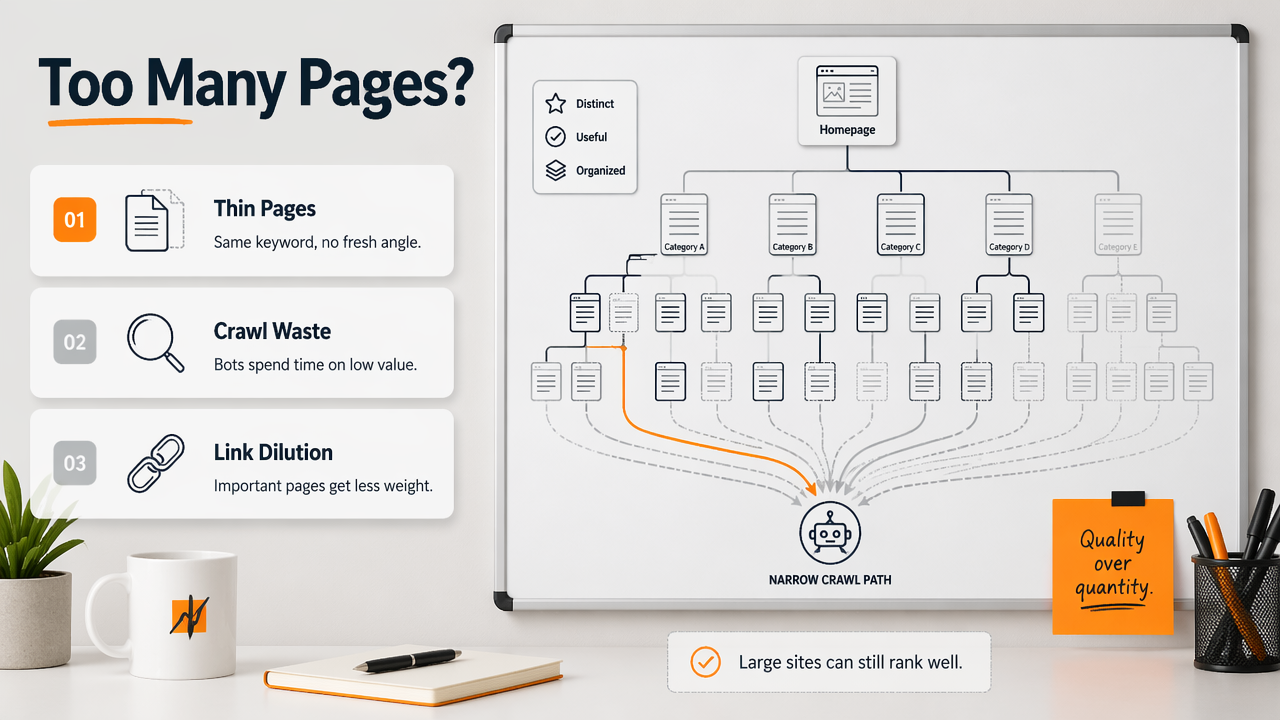
Too many pages can hurt SEO when they create duplication, thin content, crawl waste, keyword cannibalization, or outdated information. Large websites can rank well, but only when each page has a useful purpose, unique value, and a clean internal linking path.

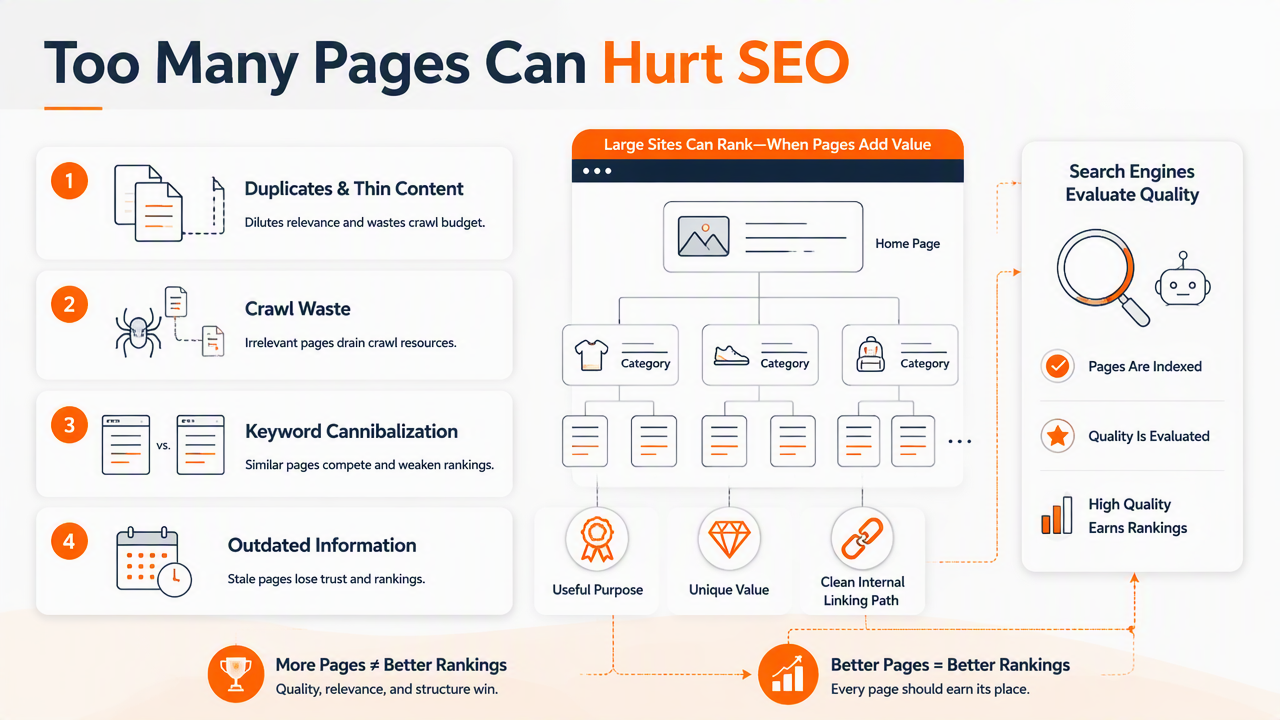
Search engines index pages, but they also evaluate quality patterns across a site. A bloated site can make it harder for important pages to stand out. That does not mean large sites are bad. It means page expansion needs rules.
Common warning signs include:
- Multiple pages targeting the same keyword with nearly identical content.
- Location pages that only swap city names.
- Product pages with manufacturer descriptions copied across many sites.
- Blog posts that answer the same question in slightly different wording.
- Orphan pages with no meaningful internal links.
- Old posts that still get indexed but no longer help readers.
A healthy SEO site trims as well as publishes. Condensing two weak articles into one useful guide often improves clarity. Updating a service page may matter more than adding another blog post.
Pages to keep, merge, improve, or remove
| Page condition | Best action | Reason |
|---|---|---|
| Gets traffic and conversions | Keep and improve | Proven search value |
| Gets impressions but low clicks | Rewrite title, meta, intro, and headings | Relevance exists, CTR may be weak |
| Competes with another page | Merge or refocus | Reduces cannibalization |
| Has no links, traffic, or purpose | Remove or noindex | Cleans the index |
| Covers a dated topic | Refresh | Preserves useful history |
This is where many small sites gain quick wins. A site with 25 pages does not always need 25 more. Sometimes it needs 8 stronger pages, better internal links, and clearer answers near the top.
How Earlyseo handles page planning in 2026
Earlyseo handles page planning by helping teams think in search intent, crawlable structure, and publishable workflows rather than arbitrary page counts. The aim is to build enough pages to cover the market clearly, then keep improving the pages that show early ranking signals.
The Earlyseo platform fits teams that want a practical SEO process without turning every decision into a technical audit. A founder can plan core pages, a marketer can organize blog ideas, and an ecommerce team can connect content to store structure.
For WordPress sites, the WordPress SEO integration supports publishing workflows where page structure and content updates need to stay aligned. For ecommerce teams, the Shopify integration is relevant when collection pages, product pages, and buying guides all need a cleaner organic strategy.
Decision rule: Start with the smallest page set that fully explains the business, then expand only when a new page can target a distinct search intent better than an existing page.
A 2026 SEO plan should also consider answer-engine visibility. Structured definitions, comparison tables, FAQs, and direct answers help content become easier for search systems and AI assistants The page count still matters, but clarity matters more.
For teams comparing CMS and publishing setups, Earlyseo integrations show how SEO workflows can connect with common platforms.
FAQ: How many pages does a website need for SEO?
Is a one-page website enough for SEO?
A one-page website can rank for a brand name or a very narrow local query, but it usually limits SEO growth. One page has less room to target separate services, locations, questions, and proof points. Most businesses need at least a few focused pages to compete for non-brand searches.
Do blog posts count as SEO pages?
Blog posts count as SEO pages when they target real questions, comparisons, or research topics. They should not replace core commercial pages. A blog works best as a support system that builds topical depth and sends internal links to service, product, or category pages.
Should every service have its own page?
Every distinct service should usually have its own page if customers search for it separately. Closely related services can stay on one page when the intent is the same. The decision should be based on search intent, not internal company labels.
How often should page count be reviewed?
Page count should be reviewed during quarterly SEO checks or after major business changes. The review should look for pages gaining impressions, pages losing relevance, duplicate topics, and missing service or location coverage. Page quality and internal linking should guide the next update.
Is more content always better for Google?
More content is not always better for Google. More useful content can help, but repeated, thin, or unfocused pages can dilute a site. A smaller website with clear pages, strong answers, and clean navigation can beat a larger site with weak structure.
Conclusion
The answer to how many pages does a website need for seo is simple: enough to satisfy real search intent, no more and no less. A lean business can start with 5 to 15 pages, while local, SaaS, and ecommerce sites often need more as offers, locations, and categories grow.
The next step is a page audit. Keep pages with purpose, merge overlap, improve pages with impressions, and create only the pages that deserve their own search target. For a more guided process, visit earlyseo.com and turn the page list into a practical SEO publishing plan.